How Much Does Telemedicine App Development Cost in 2026?
Telemedicine has changed the way patients connect with doctors, clinics, hospitals, and healthcare professionals. Instead of visiting a medical facility for every consultation, patients can increasingly book appointments, communicate with doctors, attend video consultations, receive prescriptions, make payments, and access health information through digital platforms.
For healthcare startups, hospitals, clinics, and entrepreneurs, this creates a major opportunity to build a custom telemedicine app.
But one of the first questions businesses ask is:
How much does it cost to develop a telemedicine app in 2026?
The short answer is that a telemedicine app can cost anywhere from $20,000 to $150,000+, depending on the features, platforms, integrations, security requirements, compliance needs, AI capabilities, and overall complexity of the product.
A basic telemedicine MVP with patient registration, doctor profiles, appointment booking, chat, video consultation, payments, and an admin panel may cost considerably less than an enterprise healthcare platform integrating electronic health records, insurance systems, medical devices, AI, remote patient monitoring, and complex hospital workflows.
At Next Olive Technologies, we help startups, healthcare businesses, clinics, and enterprises plan and build custom mobile and web applications. Our mobile development capabilities include native Android and iOS as well as Flutter and React Native, with backend technologies including .NET, Node.js, Python, Laravel, and Java.
In this guide, we will explain the major telemedicine app development costs in 2026, the features you need, development timelines, technology choices, security considerations, AI opportunities, and ways to control your development budget.
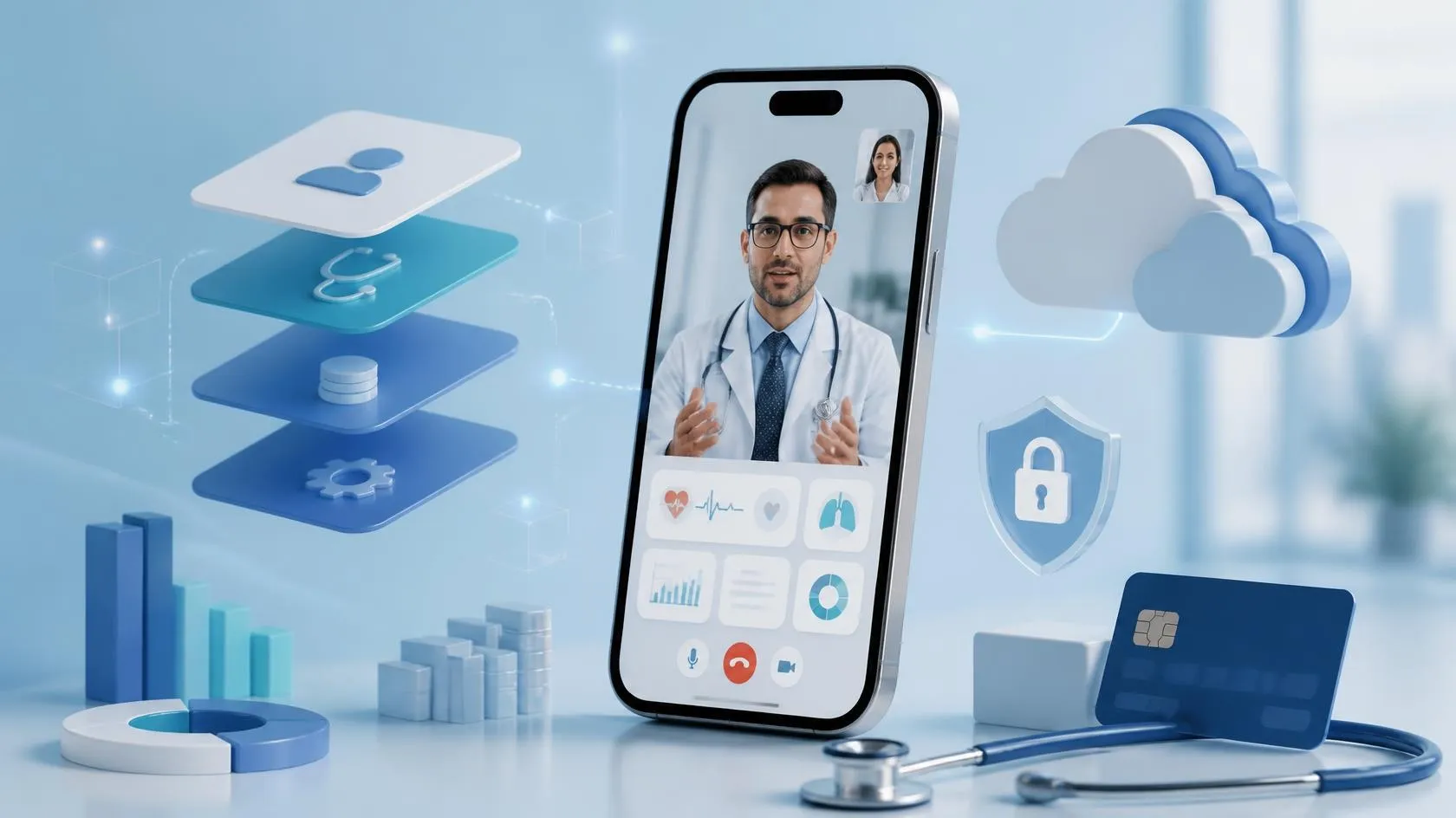
Telemedicine App Development Cost in 2026
There is no single fixed price for developing a telemedicine application because every healthcare business has different requirements.
As an indicative planning range:
| Telemedicine App Type | Estimated Development Cost | Estimated Timeline |
|---|---|---|
| Basic Telemedicine MVP | $20,000 – $40,000 | 8–12 weeks |
| Standard Telemedicine App | $40,000 – $80,000 | 12–20 weeks |
| Advanced Telemedicine Platform | $80,000 – $150,000+ | 20–32+ weeks |
| Enterprise Healthcare Platform | $150,000+ | 8–12+ months |
These figures are indicative development ranges, not fixed quotations.
The final cost depends on factors such as:
- Number of mobile applications
- Android and iOS requirements
- Web application requirements
- Patient and doctor workflows
- Admin functionality
- Video and audio consultation
- Real-time chat
- Appointment scheduling
- Online payments
- Electronic prescriptions
- Medical records
- EHR/EMR integrations
- Insurance integrations
- Pharmacy integrations
- Laboratory integrations
- Wearable and IoT integrations
- AI and automation
- Data security
- Compliance requirements
- Cloud architecture
- Number of third-party integrations
- UI/UX complexity
- Expected user volume
For example, an MVP designed for one clinic can have a very different budget from a multi-tenant telemedicine marketplace serving thousands of doctors and millions of patients.
What Is a Telemedicine App?
A telemedicine application is a digital platform that allows patients and healthcare professionals to interact remotely.
Depending on the business model, a telemedicine platform can provide:
- Online doctor appointments
- Video consultations
- Voice consultations
- Secure messaging
- Prescription management
- Medical records
- Patient history
- Payment processing
- Health reports
- Laboratory reports
- Medication reminders
- Doctor availability
- Follow-up consultations
- Remote patient monitoring
- AI-powered assistance
A telemedicine solution can consist of several products rather than a single mobile app.
A typical platform may include:
1. Patient Mobile App
Used by patients to search for doctors, book appointments, communicate with doctors, attend consultations, make payments, and access medical information.
2. Doctor Mobile App
Used by doctors to manage availability, appointments, consultations, prescriptions, patient records, and earnings.
3. Admin Web Panel
Used by administrators to manage doctors, patients, appointments, payments, content, reports, disputes, subscriptions, and platform settings.
4. Doctor Web Portal
Some healthcare organizations may also require a browser-based doctor dashboard.
5. Backend & API Infrastructure
The backend manages authentication, appointments, medical data, notifications, payments, consultations, business logic, analytics, and integrations.
This multi-component architecture is one reason telemedicine development can become significantly more complex than a standard mobile application.
Main Features of a Telemedicine App
The features you select will have a direct impact on development cost.
Let’s look at the most important components.
1. Patient Registration and Login
Patients should be able to create accounts securely.
Possible registration methods include:
- Mobile number
- OTP
- Password
- Social login
- Multi-factor authentication
The application can collect basic information such as:
- Name
- Date of birth
- Gender
- Contact information
- Location
- Medical information
- Emergency contact
The exact information collected should depend on the healthcare workflow and applicable privacy requirements.
2. Doctor Registration and Verification
Doctors may need a more detailed onboarding process.
A doctor profile could contain:
- Name
- Profile photograph
- Medical specialization
- Qualifications
- Experience
- Registration/license information
- Languages
- Consultation fee
- Availability
- Clinic information
- Reviews
- Consultation modes
For healthcare marketplaces, administrator verification can be added before a doctor becomes publicly available.
3. Doctor Search
Patients should be able to find appropriate healthcare professionals.
Search and filtering can include:
- Specialty
- Location
- Availability
- Consultation fee
- Language
- Gender
- Experience
- Rating
- Consultation type
For larger platforms, search can be enhanced with personalized recommendations.
4. Appointment Booking
Appointment management is one of the core functions of telemedicine software.
Patients can:
- Select a doctor
- View available time slots
- Choose consultation type
- Book an appointment
- Pay online
- Receive confirmation
- Reschedule
- Cancel
- Join the consultation
Doctors can:
- Define working hours
- Block unavailable dates
- Accept or reject appointments
- Manage consultation slots
- View upcoming appointments
5. Video Consultation
Video consultation is often one of the most technically important parts of a telemedicine application.
A complete video consultation system may include:
- One-to-one video calls
- Audio calls
- Camera switching
- Microphone controls
- Speaker controls
- Connection monitoring
- Reconnection handling
- Consultation timer
- Waiting room
- Doctor/patient status
- Secure session handling
Businesses can either integrate a suitable communication infrastructure or develop their own real-time communication architecture depending on requirements.
Video functionality also introduces additional infrastructure and operational costs.
6. Secure Chat
Patients and doctors may need to communicate before and after appointments.
Chat functionality can include:
- Text messaging
- Attachments
- Medical documents
- Images
- Reports
- Prescription files
- Read receipts
- Push notifications
Healthcare chat should be designed with privacy and access control in mind.
7. Electronic Prescriptions
Doctors can create digital prescriptions following a consultation.
A prescription module may contain:
- Medicine name
- Dosage
- Frequency
- Duration
- Instructions
- Doctor information
- Patient information
- Prescription date
The prescription can then be made available through the patient’s account.
8. Medical Records
A more advanced telemedicine platform can provide a centralized health record.
Patients may be able to access:
- Previous consultations
- Prescriptions
- Lab reports
- Medical documents
- Diagnoses
- Doctor notes
- Medication history
Healthcare organizations need to carefully design permissions around who can view, create, modify, and export health information.
9. Online Payments
A telemedicine marketplace may allow patients to pay before consultation.
Possible payment functionality includes:
- Credit/debit cards
- Digital wallets
- Bank payments
- Local payment methods
- Refunds
- Coupons
- Invoices
- Doctor payouts
- Subscription payments
Payment requirements vary significantly by country and business model.
10. Notifications
Notifications help patients and doctors stay informed.
Examples include:
- Appointment reminders
- Payment confirmation
- Consultation reminders
- New messages
- Prescription notifications
- Appointment changes
- Follow-up reminders
Push notifications can be combined with email or SMS where required.
Doctor App Features
A doctor-facing application typically requires a different workflow from the patient application.
Important features can include:
Doctor Dashboard
- Today’s appointments
- Upcoming appointments
- Completed consultations
- Earnings
- Patient statistics
- Notifications
Availability Management
Doctors can define:
- Working days
- Working hours
- Consultation duration
- Breaks
- Holidays
- Emergency availability
Patient Management
Doctors may view authorized patient information, previous consultations, prescriptions, reports, and other relevant records.
Consultation Management
Doctors can:
- Start consultation
- Conduct video/audio calls
- Chat
- Add notes
- Create prescriptions
- Schedule follow-ups
Earnings
For marketplace platforms, doctors may also need:
- Earnings dashboard
- Transaction history
- Commission calculation
- Payout requests
- Tax information
Admin Panel Features
A professional telemedicine platform normally requires a powerful administrative dashboard.
The admin panel may include:
- Patient management
- Doctor management
- Doctor verification
- Appointment management
- Payment management
- Refund management
- Subscription management
- Commission management
- Reports
- Analytics
- Content management
- Notifications
- Support tickets
- Reviews and ratings
- Promotional campaigns
- System configuration
- Audit logs
For enterprise healthcare organizations, role-based access control can allow different administrators to access different areas of the system.
Advanced Telemedicine Features in 2026
Telemedicine applications are increasingly moving beyond basic video consultations.
In 2026, businesses can consider several advanced capabilities.
AI Healthcare Assistants
AI can help automate certain administrative and informational workflows.
For example:
- Patient FAQ assistant
- Appointment assistant
- Pre-consultation information collection
- Doctor availability assistant
- Medication information assistant
- Healthcare navigation assistant
- Patient support chatbot
However, AI should be designed carefully when it is used in healthcare contexts.
An AI assistant that provides general information is very different from software that makes clinical decisions or provides diagnostic or treatment recommendations.
AI-Powered Medical Documentation
AI can potentially help doctors reduce administrative workload by assisting with documentation.
Depending on the use case, a system could help generate:
- Consultation summaries
- Structured notes
- Patient history summaries
- Follow-up summaries
- Administrative documentation
Any AI-generated clinical content should be subject to appropriate professional review and governance.
RAG-Based Healthcare Knowledge Assistant
A telemedicine platform can also use Retrieval-Augmented Generation (RAG) to create an AI assistant grounded in approved healthcare documents.
For example, an organization could create a knowledge base containing:
- Internal policies
- Patient education material
- Approved medical information
- Hospital procedures
- FAQs
- Insurance information
- Medication information
The AI retrieves relevant information from the approved knowledge base before generating a response.
This can be useful for patient support and internal healthcare workflows, while still requiring appropriate clinical and compliance controls.
Remote Patient Monitoring
Advanced telemedicine platforms can integrate with:
- Smart watches
- Blood pressure monitors
- Glucose monitors
- Pulse oximeters
- Fitness devices
- Other connected medical devices
Data can potentially be transmitted to healthcare professionals for monitoring.
This type of functionality can substantially increase development complexity because it introduces hardware compatibility, data synchronization, device integration, security, and potentially regulatory considerations.
How Much Does Each Telemedicine Feature Cost?
A feature-level estimate can help businesses understand where their budget goes.
| Feature | Relative Development Complexity |
|---|---|
| Registration & Login | Low |
| Patient Profile | Low |
| Doctor Profile | Low–Medium |
| Doctor Search | Medium |
| Appointment Booking | Medium |
| Push Notifications | Low–Medium |
| Chat | Medium |
| Video Consultation | High |
| Payment Integration | Medium |
| Prescription Module | Medium |
| Medical Records | High |
| Admin Dashboard | Medium–High |
| EHR/EMR Integration | High |
| Wearable Integration | High |
| AI Assistant | Medium–High |
| Remote Patient Monitoring | High |
| Advanced Clinical AI | Very High |
The actual cost of each feature depends on design, platform, backend requirements, third-party services, testing, security, and integrations.
Telemedicine App Development Cost by Platform
The platform strategy can significantly affect your budget.
Android Only
Developing an Android-first MVP can be a practical strategy for startups targeting markets where Android has strong adoption.
A basic Android application combined with a web-based admin panel can reduce the initial development scope.
iOS Only
An iOS-first approach may make sense when the target audience primarily uses Apple devices.
Android + iOS
Building both platforms gives broader coverage but increases development and testing requirements.
Flutter or React Native
Cross-platform development can reduce duplicated development work when the application does not require highly platform-specific functionality.
Next Olive develops mobile applications using native technologies as well as Flutter and React Native.
The best approach depends on the product rather than simply choosing the cheapest framework.
Telemedicine Web Application
A telemedicine platform does not necessarily have to be mobile-only.
A web application can provide:
- Doctor portal
- Admin portal
- Patient portal
- Appointment management
- Video consultations
- Medical records
- Billing
- Analytics
For hospitals and clinics, a responsive web portal can be particularly useful for doctors and administrators who work primarily from desktop computers.
Technology Stack for Telemedicine App Development
The technology stack depends on the required functionality and scalability.
A possible architecture could include:
Mobile
- Flutter
- React Native
- Kotlin
- Swift
Frontend
- React
- Next.js
- Angular
- TypeScript
Backend
- Node.js
- Python
- .NET
- Laravel
- Java Spring Boot
Databases
- PostgreSQL
- MySQL
- MongoDB
- Redis
Cloud
- AWS
- Microsoft Azure
- Google Cloud
AI
- LLM applications
- RAG
- Machine Learning
- Computer Vision
- AI automation
Next Olive’s current engineering stack includes Flutter, React Native, Swift, Kotlin, Node.js, Python/Django, .NET Core, Laravel, Java, PostgreSQL, MySQL, MongoDB, Redis, AWS, Azure, Google Cloud, and AI technologies including LLM applications and RAG.
The technology stack should be selected according to the product’s requirements rather than following a one-size-fits-all approach.
Security and Compliance in Telemedicine App Development
Security is not an optional feature for healthcare software.
Telemedicine applications can process highly sensitive information, including:
- Personal information
- Medical histories
- Prescriptions
- Consultation information
- Health reports
- Payment information
- Video or audio communications
For platforms serving U.S. healthcare organizations, HIPAA requirements may apply. HHS states that HIPAA-covered providers using telehealth platforms need secure communications and data storage, and organizations should address privacy and security risks as part of their telehealth strategy.
Important technical considerations may include:
- Encryption in transit
- Encryption at rest
- Secure authentication
- Multi-factor authentication
- Role-based access control
- Session management
- Audit logging
- Secure API design
- Access monitoring
- Backup and recovery
- Vulnerability testing
- Secure cloud configuration
- Data retention policies
Security requirements should be considered during architecture and design rather than added after development.
HIPAA, GDPR and Other Regulations
The applicable requirements depend on where the application operates, who uses it, what data it processes, and what the software actually does.
For example, a U.S.-focused product may need to consider HIPAA and applicable state privacy requirements.
A European product may need to consider GDPR and healthcare-specific requirements.
Other markets can have their own privacy, medical, data residency, and telehealth regulations.
The development team should therefore work with appropriate legal and compliance professionals when determining regulatory obligations.
Technology companies should not assume that simply adding encryption makes an application “HIPAA compliant.”
Compliance is broader than technical security.
It can involve:
- Policies
- Procedures
- Access controls
- Data handling
- Vendor relationships
- Risk assessments
- Documentation
- Auditing
- Employee processes
- Incident response
HHS specifically recommends risk analysis and documented privacy/security strategies for telehealth environments.
Does the FDA Regulate Telemedicine Apps?
Not every healthcare application is automatically regulated as a medical device.
The regulatory treatment can depend on what the software actually does.
The FDA explains that its oversight focuses on software functions that meet the definition of a medical device and whose failure could pose a risk to patient safety.
For example, a simple appointment-booking application may have a very different regulatory profile from software that performs diagnosis, clinical decision support, or controls a medical device.
This distinction becomes particularly important when adding AI.
Before launching a healthcare product in a regulated market, businesses should evaluate the intended functionality with qualified regulatory and legal professionals.
Third-Party Costs in Telemedicine Development
Development cost is only one part of the overall budget.
A telemedicine business may also have recurring costs for:
- Cloud hosting
- Video infrastructure
- SMS
- Push notification services
- Payment processing
- Maps
- Storage
- Monitoring
- Analytics
- Security tools
- Domain and SSL
- AI infrastructure
- Backup systems
Some integrations charge based on usage.
For example, video consultation infrastructure may become significantly more expensive as the number and duration of consultations increase.
Therefore, your financial model should distinguish between:
One-time development costs
and
Recurring operating costs.
How Long Does It Take to Build a Telemedicine App?
Development time depends on the scope.
Basic MVP
Approximately 8–12 weeks.
Typical functionality:
- Patient registration
- Doctor registration
- Profiles
- Appointment booking
- Basic chat
- Video consultation
- Payments
- Notifications
- Admin panel
Standard Platform
Approximately 12–20 weeks.
May include:
- Android
- iOS
- Web dashboard
- Advanced scheduling
- Doctor management
- Prescription
- Medical records
- Payments
- Reports
- Multiple consultation modes
Advanced Platform
Approximately 20–32+ weeks.
May include:
- EHR integration
- Insurance integration
- Pharmacy integration
- Laboratory integration
- AI
- Remote patient monitoring
- Wearable integration
- Multi-tenant architecture
- Advanced analytics
- Enterprise security
Enterprise healthcare platforms can take significantly longer.
How to Reduce Telemedicine App Development Cost
A common mistake is trying to build every possible feature in version one.
Instead, consider building an MVP.
Start With the Core User Journey
For example:
Patient → Find Doctor → Book Appointment → Pay → Video Consultation → Prescription → Follow-up
Build this workflow first.
Once the core system is validated, additional features can be introduced.
Start With One Platform
If budget is limited, you can initially launch:
- Android + Web Admin
or:
- Flutter Android/iOS + Web Admin
Then expand based on user demand.
Use Modular Architecture
The application should be designed so that future modules can be added without rebuilding the entire system.
For example:
Phase 1
Appointments + Video + Payments
Phase 2
Prescriptions + Medical Records
Phase 3
EHR + Pharmacy + Lab integrations
Phase 4
AI + Remote Monitoring
This approach helps control initial investment.
MVP vs Full Telemedicine Platform
| Capability | MVP | Advanced Platform |
|---|---|---|
| Patient Registration | ✓ | ✓ |
| Doctor Profiles | ✓ | ✓ |
| Search | ✓ | ✓ |
| Appointment Booking | ✓ | ✓ |
| Video Consultation | ✓ | ✓ |
| Chat | ✓ | ✓ |
| Payments | ✓ | ✓ |
| Prescriptions | Optional | ✓ |
| Medical Records | Basic | Advanced |
| EHR Integration | — | ✓ |
| Insurance | — | ✓ |
| Pharmacy | — | ✓ |
| Laboratory | — | ✓ |
| AI | Optional | ✓ |
| Wearables | — | ✓ |
| Remote Monitoring | — | ✓ |
| Advanced Analytics | — | ✓ |
| Multi-Tenant Architecture | Optional | ✓ |
Example Telemedicine App Budget
Suppose a startup wants to build an application with:
- Android app
- iOS app
- Doctor app
- Patient app
- Admin dashboard
- Doctor search
- Appointment booking
- Video consultation
- Chat
- Payments
- Notifications
- Basic prescription management
A realistic initial development budget might fall into the $40,000–$80,000 range, depending on the exact scope and implementation approach.
Adding advanced capabilities such as EHR integration, insurance processing, AI, medical-device connectivity, advanced analytics, and enterprise-grade compliance can push the budget significantly higher.
The best way to get an accurate number is therefore to prepare a detailed feature specification before development begins.
Telemedicine App Business Models
Before development begins, it is also important to decide how the platform will make money.
Common models include:
Commission Model
The platform charges a percentage of each consultation.
Example:
Patient pays $50.
The platform takes a predefined commission and the remaining amount goes to the doctor.
Subscription Model
Doctors or clinics pay a monthly or annual subscription.
Patient Subscription
Patients pay a recurring membership for benefits such as:
- Discounted consultations
- Priority appointments
- Health programs
- Premium support
Hospital SaaS
Hospitals and clinics pay a recurring software subscription.
Hybrid Model
A platform can combine:
- Consultation commissions
- Doctor subscriptions
- Patient subscriptions
- Enterprise licensing
The business model can influence the technical architecture.
For example, a multi-clinic SaaS platform needs tenant management, subscription billing, organization-level permissions, and more sophisticated administration.
Telemedicine App Development Process
At Next Olive, a structured development process can help control scope and reduce unexpected costs.
Step 1: Discovery
We first understand:
- Business model
- Target users
- Countries
- Healthcare workflow
- Required features
- Competitor products
- Integrations
- Compliance considerations
- Budget
- Timeline
Step 2: Product Planning
We convert the concept into:
- User journeys
- Feature specifications
- Technical architecture
- Database design
- API requirements
- Development milestones
Step 3: UI/UX Design
The interface is designed around the different users:
- Patients
- Doctors
- Administrators
Healthcare applications need to prioritize clarity and usability.
The patient should not have to navigate through complicated menus just to book a consultation.
Step 4: Development
The application is developed in milestones or sprints.
Depending on the project, development may include:
- Mobile apps
- Web portals
- Backend APIs
- Database
- Authentication
- Payments
- Video consultation
- Notifications
- Admin panel
- Integrations
Step 5: Testing
Healthcare applications require extensive testing.
Testing can include:
- Functional testing
- API testing
- Security testing
- Device testing
- Performance testing
- Video-call testing
- Payment testing
- Usability testing
- Regression testing
Step 6: Deployment
The system can then be deployed to the required cloud environment and mobile application stores.
Deployment may include:
- Production infrastructure
- Database configuration
- Monitoring
- Backups
- SSL
- App Store submission
- Google Play submission
Step 7: Maintenance and Scaling
After launch, the application requires ongoing:
- Bug fixes
- Security updates
- OS compatibility updates
- Performance optimization
- Infrastructure monitoring
- Feature development
- AI model updates where applicable
Next Olive offers post-launch maintenance and feature support as part of its software development engagement models.
Why Choose Next Olive for Telemedicine App Development?
Building healthcare software requires more than simply creating a mobile application.
You need a development partner who can understand the complete product ecosystem.
Next Olive Technologies develops custom mobile, web, SaaS, AI, and cloud applications for startups and growing businesses.
Our mobile development capabilities cover native Android and iOS as well as Flutter and React Native. We also work with backend technologies including .NET, Node.js, Python, Laravel, and Java.
Our healthcare-related technology capabilities can include:
- Patient applications
- Doctor applications
- Healthcare dashboards
- Hospital management systems
- Appointment platforms
- AI healthcare applications
- Telemedicine solutions
- API integrations
- Cloud infrastructure
- Data-driven applications
Next Olive also lists healthcare-focused projects among its portfolio, including hospital-management and medical AI work.
For businesses interested in AI-enabled healthcare products, Next Olive can also work with LLM applications, RAG architectures, AI agents, and automation technologies.
How Much Does It Cost to Build a Telemedicine App in India?
India can be an attractive development destination because businesses can access experienced engineering teams at lower costs than many U.S. and Western European markets.
However, choosing a development company based only on the lowest hourly rate can be risky for healthcare applications.
The important factors are:
- Technical expertise
- Healthcare workflow understanding
- Security practices
- Architecture
- Testing
- Communication
- Documentation
- Post-launch support
- Scalability
Next Olive provides India-based development with international project management and offers fixed-price or sprint-based engagement options.
For an accurate India-based telemedicine development estimate, the project should first be broken into features and technical requirements.
How to Get an Accurate Telemedicine App Development Cost
Instead of asking:
“How much does a telemedicine app cost?”
it is better to define:
- Who will use the application?
- Which countries will it serve?
- Is it for one clinic or a marketplace?
- Do you need Android?
- Do you need iOS?
- Do you need a web application?
- Will doctors and patients have separate apps?
- Will video consultations be required?
- Will online payments be required?
- Will prescriptions be digital?
- Will medical records be stored?
- Do you need EHR/EMR integration?
- Do you need pharmacy or laboratory integration?
- Will AI be included?
- Are wearable devices required?
- Which privacy and regulatory requirements apply?
- What is the expected number of users?
Once these questions are answered, the development team can prepare a much more accurate estimate.
Frequently Asked Questions
How much does it cost to develop a telemedicine app in 2026?
A basic telemedicine MVP can typically start around $20,000–$40,000, while a standard platform may cost approximately $40,000–$80,000. Advanced and enterprise platforms can reach $80,000–$150,000+, depending on integrations, compliance, AI, medical records, and scalability requirements.
How long does it take to build a telemedicine app?
A basic MVP can take approximately 8–12 weeks. A more comprehensive platform can take 12–20 weeks, while advanced enterprise healthcare platforms may require six months or longer.
What is the most important feature of a telemedicine app?
There is no single feature that works for every business. For most telemedicine products, the core workflow includes doctor discovery, appointment booking, secure communication, consultation, payment, and follow-up.
Can I build a telemedicine app with Flutter?
Yes. Flutter can be suitable for many telemedicine applications that need Android and iOS applications from a shared codebase. However, the final technology choice should depend on the required functionality, integrations, performance requirements, and long-term product strategy.
Does a telemedicine app need an admin panel?
For most commercial telemedicine platforms, an admin panel is highly recommended. Administrators may need to manage doctors, patients, appointments, payments, content, reports, support requests, and platform configuration.
Can AI be added to a telemedicine app?
Yes. AI can be used for several functions, including patient support, appointment assistance, knowledge retrieval, documentation assistance, workflow automation, and other carefully defined use cases.
However, AI functionality that provides clinical recommendations, diagnosis, treatment decisions, or other regulated functionality requires additional evaluation.
Is a telemedicine app required to be HIPAA compliant?
Not every telemedicine application is subject to HIPAA. Applicability depends on the organization’s role, business model, data handling, and jurisdiction. If the platform serves HIPAA-covered entities in the United States, HIPAA requirements may apply.
HHS recommends appropriate privacy and security safeguards for telehealth and emphasizes secure communication and handling of protected health information.
Can telemedicine apps integrate with EHR systems?
Yes. EHR/EMR integration can be implemented through available APIs, interoperability standards, or vendor-specific integration mechanisms. These integrations can substantially increase development complexity and cost.
Can you build a telemedicine app for hospitals?
Yes. A hospital-focused platform can be designed with multiple departments, doctors, patients, appointments, medical records, billing, laboratory workflows, pharmacy integration, reporting, and administrative controls.
Can Next Olive develop both the app and backend?
Yes. Next Olive provides end-to-end application development covering mobile applications, web applications, backend systems, APIs, cloud infrastructure, AI, and ongoing support.